Audio & event coverage / Practical recording workflow
How to record clear audio for a panel discussion
Coordinate the microphones, test the venue feed and check the saved recording. A practical audio plan for panel videos, from soundcheck to editor handoff.
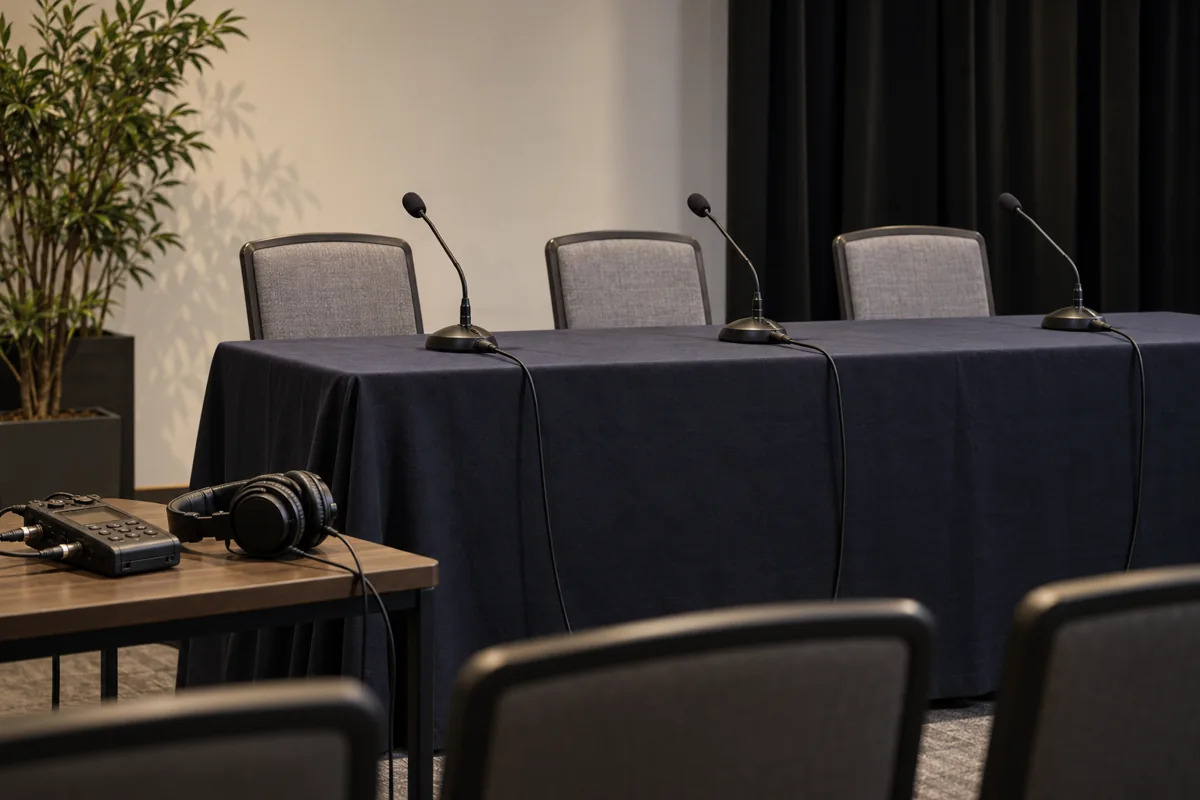
A panel can look simple on camera: a few chairs, a moderator and a conversation. Recording it asks a harder question. Can the editor hear every person clearly, including the quiet answer, the interruption and the question from the back of the room?
Start with a recording plan that the venue audio engineer, camera team and event organizer understand. The aim is to capture usable speech throughout the session, then leave a clear handoff for the edit. This guide proposes a practical workflow; equipment settings and available routing must be confirmed for the actual system.
Agree what the recording needs to include
Ask whether the deliverable is a complete session, a short highlights film or both. Confirm whether audience questions, presentation playback, remote guests and introductions need to be recorded. An answer may be hard to use if its question exists only as a distant voice on a camera microphone.
Name the people responsible for stage sound, the recording feed and monitoring the recording itself. “The venue has audio” does not answer who will connect the recorder or check its files. Put access time, soundcheck time, session duration and the contact person in the production brief.
Use the video brief guide to agree the outputs and approval roles. If there is a live stream, discuss its needs separately too. Do not assume the recording, room sound and stream will receive the same mix.
Give every speaker a usable microphone position
Choose a microphone arrangement around how the panelists will actually sit and move. A tabletop microphone needs to remain within a useful speaking position when someone turns toward another guest. A handheld needs a short explanation of where to hold it. A lavalier needs placement checked with the person's clothing and natural movement.
Shure's microphone guidance explains that bringing a microphone closer to the voice improves the voice's level relative to room noise and reflections. It also notes that more directional microphones can require a speaker to stay within a smaller pickup area. For a panel, test the seated conversation position rather than copying a distance from a different microphone's demonstration.
Ask each person to introduce themselves and answer a question at their normal speaking level. Include a turn toward the moderator. Listen for changes as they lean back, look away or touch the table. Fix the position or behavior while it is easy to do so. A visually tidy microphone arrangement is only useful if the speakers can use it comfortably.
Give audience questions a defined route, such as a staffed roaming microphone. If that is unavailable, ask the moderator to repeat the question into their own microphone before answering. Brief the moderator before the session; do not leave that recovery plan to chance.
Confirm the feed before choosing the cable
Ask the venue engineer which output is available, what it contains, its signal level and whether its level changes with the room mix. Record the connector and the destination input as separate facts. Matching plugs alone does not establish a compatible connection.
Shure distinguishes mic-level signals from the much stronger line-level signals commonly provided by mixers. Feeding line level into an input configured for mic level can overload it; a mic signal into a line input can be too weak. Confirm the output and input modes in the relevant equipment documentation. If conversion or attenuation is required, agree the appropriate interface with the engineer instead of improvising an adapter chain.
Keep connections under the venue team's control. Ask before changing a patch, a routing assignment or a power setting on shared equipment. Test the complete path into your recorder, including any interface or adapter you will actually use during the event.
Find out whether you are receiving a dedicated recording mix or the room's main mix. Ask what happens if a speaker is muted, a fader moves or presentation audio starts. Those are useful soundcheck questions even when the feed initially sounds good.
Choose tracks with a recovery purpose
Where the system and crew allow it, request separate recorded channels for the speakers as well as a reference mix. Separate channels give the editor a way to work on one speaker without applying the same change to every voice. They still need correct routing, active recording and someone listening to them.
A single mixed feed can be a reasonable choice for a smaller job, particularly when setup time or routing is limited. Its tradeoff is that the voices arrive combined. Establish that limitation before promising how much can be changed later. Ask for a short sample from the proposed setup if the production decision depends on it.
Give a second recording a defined role. A camera's room microphone may help with synchronization or audience atmosphere, but listen to it before calling it a dialogue backup. Two recorders receiving the same feed still depend on that feed. Identify which failure each additional path is intended to cover.
Record, stop and play back a real test
Do more than watch meters move. Record a short rehearsal, stop it and play the saved file through headphones. Confirm that every intended channel exists and contains the expected source. A monitor path is useful, but it is not proof that the correct tracks were written to storage.
Test normal speech, the quietest likely speaker and a louder moment. Set gain and operating margin for the actual recorder and signal chain, following its manual. Listen for distortion, hum, clothing noise, dropouts, table knocks and missing words. Do not rely on a universal meter target or assume an unfamiliar recording mode repairs every upstream problem.
Test transitions as well: mute and unmute a microphone with the engineer, start presentation playback, and try the audience-question microphone. Confirm which changes reach the recording. If the test fails, document the cause, make one correction and record another sample through the same path.
A fictional three-person panel plan
This example is a planning exercise, not a RackFocus Cinema client story or a guaranteed equipment package. Imagine a moderator and two guests, followed by audience questions:
| Source | Planned capture | Soundcheck proof |
|---|---|---|
| Moderator and two guests | One microphone per person; separate recorded channels if available, plus reference mix | Each person speaks and turns naturally; saved files identify all three voices |
| Audience questions | Staffed question microphone included in the recording route | Question and answer both play back clearly |
| Presentation playback | Agreed feed from the venue system when required by the brief | Playback starts and stops in a saved test |
| Room atmosphere | Camera reference or a separate ambience recording | Applause is captured; role is documented separately from dialogue |
The organizer confirms the session order and permissions. The venue engineer confirms routing. The recording operator checks storage, power and saved audio, then monitors during the session. The camera operator keeps a reference track where practical and logs camera restarts. If a role has no owner, resolve it before doors open.
Monitor the session and log changes
Start the agreed recorders before the introduction and confirm their recording state. Monitor the recording path throughout the panel, not just during soundcheck. If you must divide attention, plan who takes over rather than leaving a recorder unattended without an explicit decision.
Keep a brief log with approximate times for microphone swaps, interruptions, power changes or a speaker who repeatedly moves away from their microphone. Coordinate corrections with the event team. The right intervention depends on the live situation; an unexpected interruption to the room can create its own problem.
Reserve time after the session to confirm files are present and spot-check the beginning, middle and ending. Preserve the original recordings, keep the channel map with them and follow a documented backup and verification process before reusing recording media.
Leave the editor a channel map
Deliver the source recordings with the session title, date, track-to-speaker map and notes about known issues. State which file is the reference mix, which tracks are separate sources, and how camera restarts or recording breaks were logged. Agree any required audio format with the editor before the event.
Connect that handoff to the event video coverage plan. A useful quote needs both understandable sound and suitable pictures. For the next panel, bring the session order, speaker count, audience-question plan and venue audio contact to RackFocus Cinema's production conversation. Those details help shape the recording plan before the first answer begins.
Sources and technical limits
Primary sources inspected October 26, 2026. The test plan, fictional example and role assignments are editorial recommendations; they are not measured reliability claims.
- Shure: Tell Me About Mic and Line Level — supports the distinction between signal levels and the consequences of mismatched inputs. Confirm actual device modes and any attenuation in the relevant manuals.
- Shure: Choosing a Microphone for Podcasting — supports the limited principles about voice-to-room balance and directional pickup. This is not a panel-system specification; placement must be tested with the chosen microphones and speakers.