Editing & repurposing / Practical editing guide
How to turn one interview into useful short videos
Choose one clear idea, preserve the speaker's meaning and rebuild the edit for its destination. A practical guide to making useful short videos from an interview.
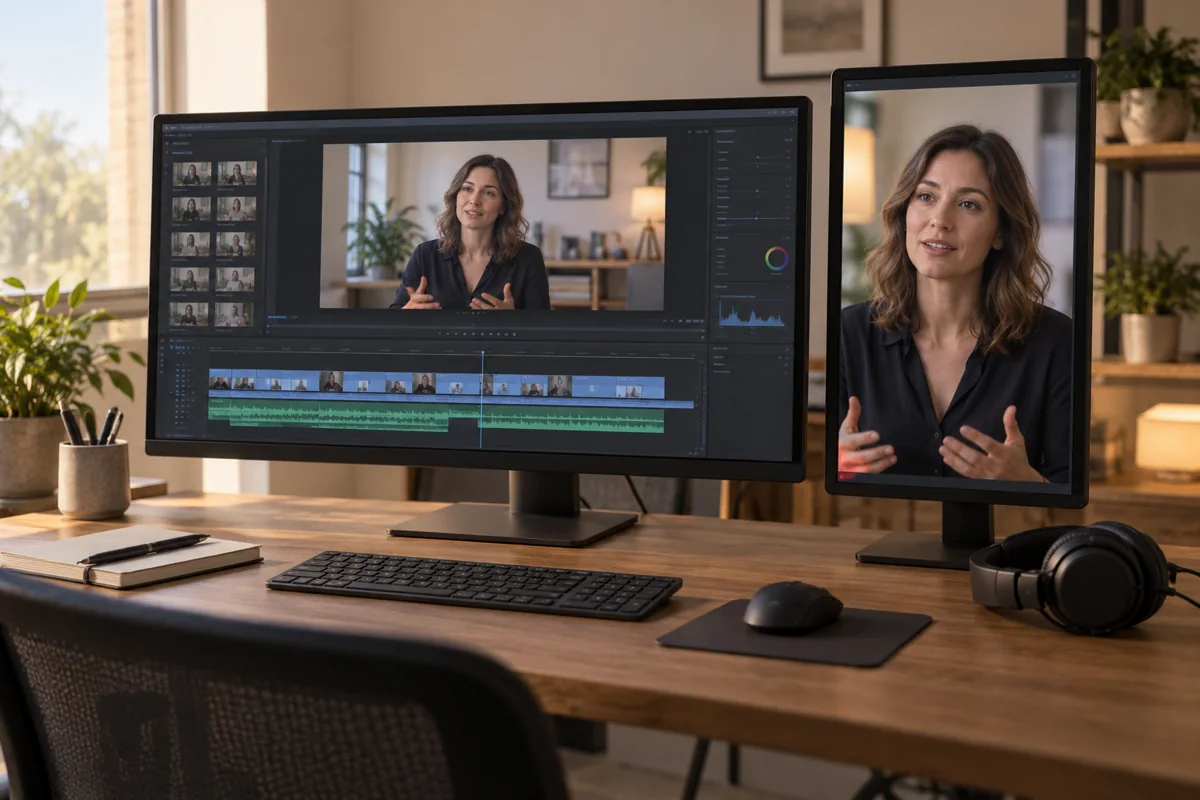
A good interview can support more than one film. That does not mean every answer should become a clip. The useful question is whether a new viewer can understand one idea, hear why it matters and reach a sensible ending without watching the longer interview first.
Repurposing works best as a fresh editorial pass. Select the thought, preserve its context, then rebuild the pictures and text for the destination. This guide offers a practical workflow for clients and editors, including a fictional example. It does not promise a particular number of clips, views or business results.
Give each short video one job
Start with the audience and the question the clip will answer. A prospective customer may need an explanation of a process. A potential recruit may want to understand a workday. Someone who already knows the organization may be ready for a deeper technical answer. These are different edits, even when they draw on the same interview.
Make a small deliverable list before searching the footage: intended viewer, main idea, placement, framing, approximate duration and next step. Confirm the destination's current technical requirements with the person who will publish it. Avoid choosing a runtime solely because another account uses it.
The video production brief guide provides a shared reference for these decisions. If the interview has not happened yet, ask the speaker for complete explanations and concrete examples. Capture supporting activity and room details that could help explain those answers.
Select complete thoughts, not isolated punchlines
Review the interview with timecoded notes. A transcript can help locate material, but listen to the original recording before making a selection. Tone, pauses and the preceding question can change how a sentence is understood. Log a candidate's start and end, the question it answers and the context it needs.
Prefer answers with a clear subject, a useful explanation and a natural conclusion. A striking sentence can be a good opening, but check what it refers to. If the speaker says “that changed everything,” the viewer needs to know what “that” means. Restore the necessary setup or choose another passage.
Keep qualifications that materially affect the meaning. Removing “in our test,” “for this project” or “when the room is quiet” can turn a limited observation into a much broader claim. Do not join unrelated phrases to create a position the speaker did not express. When an edit feels ambiguous, return to the surrounding answer and ask for a factual review.
Make fewer clips if the material only supports a few strong ideas. Repeated versions of the same answer can consume review time without giving the viewer anything new. Keep a record of rejected candidates so the team knows whether the issue was context, missing coverage or an unclear message.
Build an opening, explanation and ending
Assemble a simple audio edit first. Introduce the subject quickly enough that the first sentence makes sense. Follow it with the example or evidence that supports the point, then stop at a genuine resolution. An abrupt cut after an interesting claim can leave the viewer with less understanding than they started with.
Use an on-screen question or a short introduction if the spoken answer needs it. Keep that wording faithful to what the clip actually covers. A headline that promises a complete solution should not introduce a fragment about one small part of the process.
Remove repetition and unnecessary setup with care. Listen across every dialogue edit for broken words, unnatural breathing and changes in room sound. Supporting footage can help the visual flow, but it should explain or fairly represent the point. Do not use an unrelated activity as apparent proof of what the speaker describes.
Give the ending a next step that fits the clip: continue to the full interview, read the related guide or contact the organization. The next step can be modest. It should not overwhelm a useful answer with a long sales message.
A fictional interview-to-clips plan
Imagine an interview with an unnamed workshop manager about preparing a new team member. This is a planning example, not a RackFocus Cinema client story. The final durations would depend on the actual answers and brief.
| Candidate | Self-contained idea | Context to preserve |
|---|---|---|
| First-day preparation | Explain what a new colleague should bring and who greets them | Identify the organization or setting; verify the current instructions |
| Learning one task | Show how a supervisor demonstrates a specific activity | Keep any qualification about training or supervision; use approved supporting footage |
| A common question | Answer one concern raised by new starters | State the question before the answer; retain exceptions that change its meaning |
These ideas could become separate videos because each answers a distinct question. Before editing all three, make one rough cut and have the content owner confirm its accuracy and tone. That early review can reveal missing context while the structure is still easy to change.
Rebuild the frame for the destination
Create a separate version for each agreed layout. Check the speaker, gestures, supporting footage, name titles and other text throughout the cut. A crop that works for the interview shot may cut away the important part of a demonstration. Sometimes an alternative shot or a different graphic layout is a better choice than moving the same crop repeatedly.
For an Adobe Premiere workflow, the official Auto Reframe Sequence documentation describes creating a duplicate sequence in a chosen aspect ratio with Auto Reframe applied to its clips. It includes motion-tracking options and notes that complex scenes can need manual keyframe refinement. Treat that as an available framing aid, then inspect the result shot by shot.
A tracking tool cannot make the editorial decision about what the viewer needs to see. Watch for distracting movement, an excluded second speaker, or a crop that follows a face while hiding the object being discussed. Keep intentional framing stable where practical, and review titles and captions in the new composition.
If portrait versions are important before production begins, include that need in the camera plan. Test both intended compositions while lighting the room. The small-office interview lighting guide can help with room and background choices, but the actual framing still needs a camera test.
Review captions as part of the edit
Agree whether the deliverable needs visible burned-in captions, a separate caption file, or both. They serve different delivery paths, so confirm the required format and language rather than assuming one export covers everything. Check that visible captions do not obscure a face, demonstration or important graphic.
YouTube warns that automatic captions can misrepresent speech and recommends reviewing and correcting them. Its caption editor supports changes to text and timing. Whichever system produces the first draft, check names, technical terms, numbers, punctuation and synchronization against the finished audio.
Do this after the dialogue is settled, then recheck if the cut changes. A caption that belonged to an earlier version can be misleading even when every word is spelled correctly. Watch once with sound and once without it to assess whether the text and pictures communicate the intended point.
Review the actual short versions
Share each version with its purpose and source reference. Ask the reviewer to check meaning, factual accuracy, permitted use of supplied material, framing, text and the next step. Approval of the long interview should not silently stand in for approval of a materially different short edit.
For audio, listen for intelligible speech and distracting changes across edits. If the source is a live discussion, the panel recording guide explains why planning the original recording helps. Do not assume post-production can recover a missing question or an unusable recording.
Play the exported files from beginning to end. Check the first and last frames, picture, audio and caption treatment. If possible, inspect a draft upload in its intended viewing context before release, including any interface elements that cover part of the picture. Keep a clear distinction between review files and approved masters.
Hand off a small, clear package
Deliver an inventory identifying each clip's topic, version, layout, caption assets and approval status. Keep the original interview and project references so later changes can be traced to the source. Assign who uploads, who checks the published version and who keeps the approved files.
For your next interview, bring the audience, a few useful viewer questions and intended placements to RackFocus Cinema's production conversation. Planning those decisions early gives the shoot and edit a clearer purpose, while leaving room to follow the strongest answers.
Sources and editorial limits
Primary sources inspected October 28, 2026. The selection, example and review workflow above are editorial recommendations. No audience-performance outcome or automatic-editing accuracy is promised.
- Adobe: Add Auto Reframe effect to sequences — supports the limited description of duplicate sequences, target aspect ratios, tracking options and manual refinement. Confirm behavior in the installed version.
- YouTube Help: Use automatic captioning — documents potential transcription errors and the need to review captions.
- YouTube Help: Edit or remove captions — documents text and timing edits. Confirm the current requirements for each actual publishing destination.